
 Rackmount PC
 Embedded Computing
 Industrial Portable Computers
 Rugged Tablets
 Rugged Laptop
 Industrial Panel PC
 Rugged Handheld
 Advantech Industrial PC
Step-by-Step Guide to Resolve Administrator Block Errors on Windows 10 Industrial PC
Information summary:
The fan of a industrial grade laptop is one of the key components that keeps the device running smoothly. However, sometimes we may encounter the problem that the laptop fan suddenly stops turning. Once this happens, it will not only affect the normal operation of the device, but may also cause the laptop industrial to overheat and damage the hardware. So, when you encounter this problem, you need to take timely action to solve it.
Here are some ways to solve the problem of the fan of a rugged laptop not turning:
Table of Contents
- 1. Clean the fan and radiator
- 2. Check the fan cable
- 3. Replace the fan
- 4. Check the power management settings
- 5. Ask professionals for help
1. Clean the fan and radiator
A common reason for the fan not turning is dust accumulation. After long-term use, a lot of dust will accumulate on the fan and radiator, causing the fan to not turn normally. Therefore, first turn off the computer, remove the battery, and use a blow can to clean the fan and radiator. Be careful not to use cotton swabs and other items to directly touch the internal parts to avoid damage.

2. Check the fan cable
Sometimes the fan cable of a rugged laptop may become loose, causing the fan to not work properly. Open the computer cover and check if the fan cable is secure. If it is loose, try reconnecting or replacing the cable.

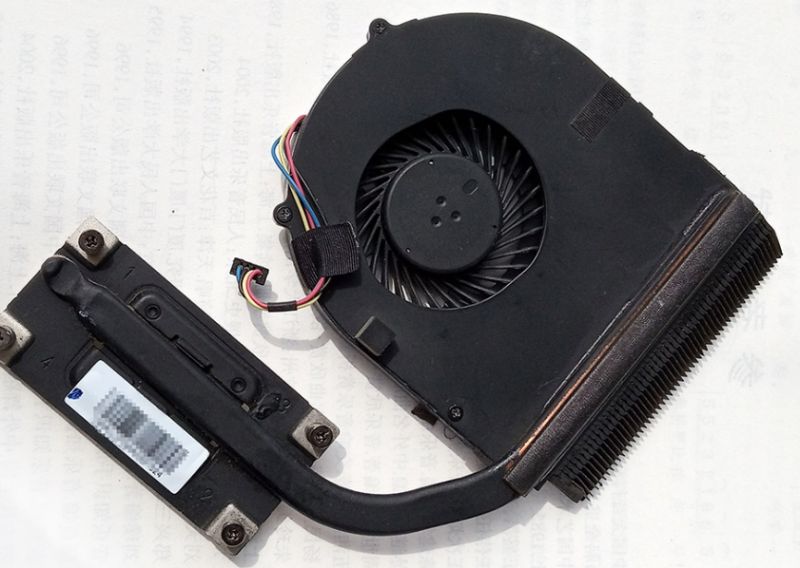
3. Replace the fan
If the above methods are ineffective, it is very likely that the fan itself is faulty. You can choose to buy a fan of the same specifications for replacement. Before replacing, it is recommended to find the fan replacement tutorial for your brand and model of rugged laptop to ensure correct operation.
4. Check the power management settings
In some cases, the computer's power management settings may cause the fan to not turn. Open the control panel, find "Power Options", and make sure the power management plan is set to high performance mode. This ensures that the computer always provides enough current to drive the fan.
5. Ask professionals for help
If you are not sure how to operate, or the above methods cannot solve the problem, it is recommended to seek help from professionals. They may have more experience and professional equipment to detect and solve the problem of the fan not turning.
No matter what problems we encounter, we should stay calm and solve them in time. I hope the above methods can help you solve the problem of the fan not turning on the rugged laptop and ensure the normal operation of the device. If you have other similar problems, you can also refer to these methods to solve them.


LET'S TALK ABOUT YOUR PROJECTS
- sinsmarttech@gmail.com
-
3F, Block A, Future Research & Innovation Park, Yuhang District, Hangzhou, Zhejiang, China
Our experts will solve them in no time.