
 Rackmount PC
 Embedded Computing
 Industrial Portable Computers
 Rugged Tablets
 Rugged Laptop
 Industrial Panel PC
 Rugged Handheld
 Advantech Industrial PC
Industrial PC for AGV and AMR Fleet Management Guide
Table of Contents
- I. Introduction
- II. What Is AGV and AMR Fleet Management?
- III. Why Industrial PCs Are Critical for AGV and AMR Fleet Management
- IV. Key Hardware Requirements for an AGV Industrial PC and AMR Industrial Computer
- V. Application Scenarios of Industrial PC for AGV and AMR Fleet Management
- VI. Industrial PC vs Consumer PC for AGV and AMR Applications
- VII.How to Choose the Right Industrial PC for Mobile Robots
- VIII. Why Choose SINSMART for AGV and AMR Industrial Computer Solutions?
- Ⅸ. Recommended SINSMART Industrial PC Models for AGV and AMR Projects
- Ⅹ. FAQ
Introduction
Introduction
What Is AGV and AMR Fleet Management?
What Is AGV and AMR Fleet Management?
-
Robot location and movement status
-
Task assignment and route planning
-
Traffic control and collision avoidance
-
Battery monitoring and charging schedules
-
Sensor and device status monitoring
-
Alarm reporting and maintenance records
-
Connection with WMS, MES, ERP, PLC, or cloud platforms
-
Multi-robot coordination in shared operating areas
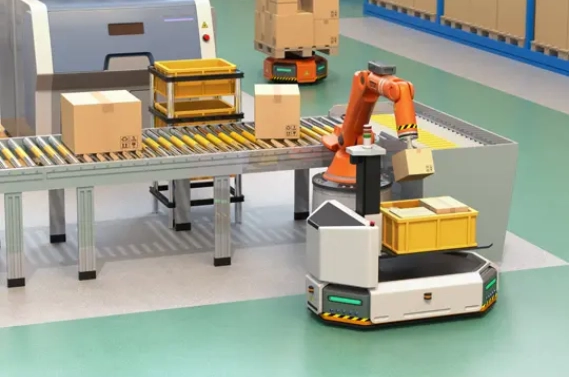
Why Industrial PCs Are Critical for AGV and AMR Fleet Management
Why Industrial PCs Are Critical for AGV and AMR Fleet Management
-
Onboard Computing Node
-
Communication Gateway
-
Edge Processing Platform
Key Hardware Requirements for an AGV Industrial PC and AMR Industrial Computer
Key Hardware Requirements for an AGV Industrial PC and AMR Industrial Computer
| Hardware Factor | Why It Matters in AGV/AMR Fleet Management | Recommended Feature |
| CPU Performance | Handles sensor data, communication, navigation, and local applications | Intel Core i3/i5/i7/i9, Intel N-series, or project-based platform |
| Fanless Design | Reduces dust intake and mechanical failure risk | Fanless embedded industrial PC |
| Compact Size | Fits inside AGV/AMR body or control cabinet | Small embedded box PC or vehicle-mounted PC |
| I/O Ports | Connects cameras, LiDAR, PLC, controllers, scanners, and sensors | LAN, USB, COM, CAN, HDMI/DP, DI/DO |
| Wireless Expansion | Supports fleet communication and remote monitoring | Wi-Fi, 4G/5G, Bluetooth, SIM slot, antenna options |
| Storage | Stores system image, logs, maps, and local data | SATA, M.2, SSD options |
| Power Input | Matches robot battery or industrial power supply | Wide voltage DC input depending on model |
| Operating System | Supports project software environment | Windows, Linux, Ubuntu, or project-specific OS |
| Rugged Structure | Handles vibration, dust, and long operating hours | Metal chassis, cable-secure design, fanless cooling |
| Customization | Fits robot manufacturers’ special needs | I/O, BIOS, logo, system image, mounting, OEM/ODM |

Application Scenarios of Industrial PC for AGV and AMR Fleet Management
Application Scenarios of Industrial PC for AGV and AMR Fleet Management
Application Scenarios of Industrial PC for AGV and AMR Fleet Management
Application Scenarios of Industrial PC for AGV and AMR Fleet Management
Application Scenarios of Industrial PC for AGV and AMR Fleet Management
-
Warehouse Automation and E-Commerce Fulfillment
-
Smart Manufacturing Material Handling
-
COM ports for industrial devices
-
LAN ports for network communication
-
Windows/Linux support
-
Fanless cooling
-
Long-term hardware availability
-
OEM/ODM customization
-
AMR Machine Vision and Autonomous Navigation
-
Automotive, Electronics, and Precision Manufacturing
-
Mixed Robot Fleet Management
-
Onboard embedded industrial PCs for each robot
-
Industrial panel PCs for local HMI
-
Rugged tablets for maintenance staff
-
Rack-mount industrial PCs for the fleet management center
Industrial PC vs Consumer PC for AGV and AMR Applications
Industrial PC vs Consumer PC for AGV and AMR Applications
Industrial PC vs Consumer PC for AGV and AMR Applications
Industrial PC vs Consumer PC for AGV and AMR Applications
| Comparison Item | Consumer PC | Industrial PC for AGV and AMR Fleet Management |
| Working Environment | Office or light-duty use | Factory, warehouse, logistics, mobile robot environment |
| Cooling Design | Usually fan-based | Fanless options reduce dust and maintenance risk |
| I/O Interfaces | Limited industrial ports | LAN, USB, COM, CAN, DI/DO, HDMI/DP, wireless expansion |
| Installation | Desktop or office installation | Embedded, wall-mounted, vehicle-mounted, DIN-rail, rack-mounted options |
| Vibration Resistance | Not designed for moving machines | More suitable for AGV/AMR vibration and movement |
| Lifecycle | Short commercial lifecycle | Better for long-term industrial projects |
| Customization | Limited | I/O, BIOS, system image, logo, power, mounting, OEM/ODM |
| Supplier Support | Standard retail support | Project-based technical communication and long-term cooperation |
How to Choose the Right Industrial PC for Mobile Robots
How to Choose the Right Industrial PC for Mobile Robots
Step 1: Define the Robot Type
-
AGV for fixed route material handling
-
AMR for autonomous navigation
-
Forklift AGV
-
Pallet transfer robot
-
Sorting robot
-
Warehouse picking robot
-
Factory delivery robot
Step 2: Confirm the Computing Workload
-
Basic motion control
-
Fleet communication
-
Barcode or RFID data
-
Camera or LiDAR input
-
SLAM navigation
-
Vision recognition
-
Local data logging
-
Remote maintenance
Step 3: List All Required Interfaces
-
LAN ports for cameras, LiDAR, PLC, or network communication
-
USB ports for cameras, scanners, or peripherals
-
COM ports for industrial devices
-
CAN or DI/DO depending on the robot control architecture
-
HDMI or DP for debugging and display
-
M.2 or mini PCIe for storage or wireless modules
-
SIM card slot for 4G/5G communication
-
Antenna ports for wireless communication
Step 4: Check Installation Space and Power
-
Product dimensions
-
Mounting method
-
Cable direction
-
Power input
-
Heat dissipation space
-
Maintenance access
-
Shock and vibration conditions
Step 5: Consider Long-Term Supply and Customization
-
Can the supplier support OEM/ODM customization?
-
Can the same configuration be supplied for long-term projects?
-
Can the supplier adjust I/O, storage, wireless modules, or system image?
-
Can the supplier support factory-level communication instead of only retail sales?
-
Can the supplier provide different product lines for different project levels?

Why Choose SINSMART for AGV and AMR Industrial Computer Solutions?
Why Choose SINSMART for AGV and AMR Industrial Computer Solutions?
Why Choose SINSMART for AGV and AMR Industrial Computer Solutions?
-
Factory Manufacturer, Not a Trader
-
Wide Product Portfolio
-
Fanless embedded industrial PCs
-
Vehicle-mounted fanless PCs
-
Rack-mount industrial PCs
-
Rugged tablets
-
Rugged notebooks
-
Industrial portable computers
-
Customized OEM/ODM industrial solutions
-
Customization for AGV and AMR Projects
-
I/O configuration
-
Wireless module
-
Storage and memory
-
Mounting method
-
System image
-
BIOS settings
-
Boot logo
-
OEM/ODM cooperation
-
Understanding of Harsh Industrial Environments
-
Suitable for Global B2B Projects
Recommended SINSMART Industrial PC Models for AGV and AMR Projects
Recommended SINSMART Industrial PC Models for AGV and AMR Projects
Recommended SINSMART Industrial PC Models for AGV and AMR Projects
| Model | Key Parameters from SINSMART Website | Suitable Use Case |
| SIN-3091-H610 | Intel H610 chipset; supports Intel Core 12th/13th generation Core/Pentium/Celeron processors; up to 64GB memory; 2 SATA3.0 ports; 1 M.2 M Key 2242/2280 slot; HDMI 2.0; DP 1.4; 6 USB ports; 4 COM ports; 320×200×78mm; Windows 10/11 and Linux | AMR machine vision, autonomous mobile robots, autonomous positioning, autonomous obstacle avoidance |
| SIN-3002-1035 | Intel Core i5-1035G1 processor; 1×DDR4 32GB memory; 1×SATA3.0 6Gbps interface; 1×HDMI; 6 USB ports; 214×156×52mm; Windows 10/11 and Linux; 4 Intel I210 Gigabit network ports; mini PCIe supports 5G/4G; SIM card slot | Compact AGV onboard computer, AGV robots, machine vision, industrial automation |
| SIN-3012-Q170 | Intel Q170 chipset; supports Intel Core 6th generation i3/i5/i7 processors; 2×DDR4 memory slots up to 32GB; 1×DVI-D, 1×VGA, 2×DP; 2×SATAIII and 1×mSATA; 4×USB2.0 and 4×USB3.0; 3 serial ports; 240×225×77mm | Vehicle-mounted fanless PC, AGV retrofit, industrial vehicle computing, harsh environment control |
| SINSMART Embedded Computer Series | Fanless embedded BOX PCs with heavy-duty aluminum chassis, silent operation, dust-resistant design, and multiple configuration options | General industrial PC for mobile robots, factory automation, edge computing, smart factory |
| SINSMART 4U Rackmount PC Series | Supports Intel Core 2nd to 14th generation processors; rich I/O interfaces and expansion slots; designed for long-time stable operation | Local fleet management server, warehouse control room, data collection, dispatching platform |
How to Match the Model to the Project

FAQ
FAQ
FAQ
Q1. What is the role of an industrial PC in AGV and AMR fleet management?
A: An industrial PC works as the onboard computing, communication, and data processing platform. It connects robot sensors, controllers, wireless modules, and the fleet management system. It helps the robot receive tasks, report status, process local data, and stay connected with the control platform.
Q2. What is the difference between an AGV industrial PC and an AMR industrial computer?
A: An AGV industrial PC usually focuses on stable control, route execution, communication, and device connection. An AMR industrial computer may need stronger performance because AMRs often use cameras, LiDAR, autonomous navigation, obstacle avoidance, and local decision-making.
Q3. Can a consumer PC be used for AGV or AMR applications?
A:It may be used for testing, but it is not recommended for long-term industrial deployment. Consumer PCs usually do not provide enough industrial interfaces, rugged structure, fanless design, long lifecycle, or customization support.
Q4. What interfaces are commonly required for an industrial PC for mobile robots?
A: Common interfaces include LAN, USB, COM, CAN, HDMI, DP, DI/DO, M.2, mini PCIe, SIM slot, and antenna connectors. The exact interface list depends on cameras, LiDAR, PLC, scanners, sensors, and wireless communication modules.
Q5. Does an AGV/AMR industrial PC need a fanless design?
A: In many factory and warehouse environments, a fanless design is recommended because it reduces dust intake and moving mechanical parts. This can lower maintenance risk and improve long-term stability.
Q6. Which operating systems are used in AGV and AMR industrial computers?
A: Common systems include Windows 10/11, Linux, Ubuntu, and project-specific software environments. Some projects may also use ROS-related development environments. The final choice depends on the customer’s fleet management software and robot control architecture.
Q7. How do I choose CPU performance for AGV and AMR fleet management?
A: Choose CPU performance based on workload. Basic control and communication may need a lower-power embedded PC. Machine vision, SLAM, multi-sensor fusion, and edge AI inference may require higher Intel Core platforms or GPU/AI expansion depending on the project.
Q8. Can SINSMART customize industrial PCs for AGV and AMR manufacturers?
A: Yes. SINSMART can support OEM/ODM customization depending on the product and project requirements. Customization may include I/O, wireless module, memory, storage, system image, BIOS, logo, and mounting design.
Q9. Do I need only an onboard industrial PC, or also a rack-mount industrial PC?
Q10. What should I send to SINSMART before asking for a solution?


LET'S TALK ABOUT YOUR PROJECTS
- sinsmarttech@gmail.com
-
3F, Block A, Future Research & Innovation Park, Yuhang District, Hangzhou, Zhejiang, China
Our experts will solve them in no time.