
 Rackmount PC
 Embedded Computing
 Industrial Portable Computers
 Rugged Tablets
 Rugged Laptop
 Industrial Panel PC
 Rugged Handheld
 Advantech Industrial PC
How to Choose the Most Rugged Tablet
Table of Contents
- I. Introduction
- II. Why the Most Rugged Tablet Matters in Logistics and Field Work
- III. What Defines the Most Rugged Tablet? Key Protection Standards to Check
- IV. Key Applications Where the Most Rugged Tablet Outperforms Consumer Tablets
- V. Recommended SINSMART Rugged Tablet Directions
- VI. Why the Most Rugged Tablet Improves Overall Workflow Stability
- VII. FAQs
Introduction
The most rugged tablet is built for work environments where ordinary consumer tablets may fail due to drops, dust, vibration, water exposure, outdoor visibility problems, or long shift demands. In logistics, manufacturing, transportation, utilities, and field inspection, unstable mobile hardware can slow down data collection, interrupt task updates, and increase replacement costs.However, the most rugged tablet should not be judged only by a thicker housing or a “tough” appearance. For industrial buyers, the better question is whether the tablet combines verifiable protection standards, stable field usability, and the right workflow functions for real deployment.This guide explains how to evaluate the most rugged tablet from a practical procurement perspective, including rugged protection, durability standards, workplace fit, display and battery performance, industrial connectivity, and project-oriented selection criteria.
Why the Most Rugged Tablet Matters in Logistics and Field Work
Industrial teams often use mobile tablets in environments that are far less predictable than offices. Warehouse workers move between shelves, loading areas, forklifts, and packing stations. Field technicians work outdoors in changing light, dust, rain, and temperature conditions. Drivers and mobile crews deal with constant vibration and on-the-move task updates.
In these workflows, a less durable tablet can create several problems:
- Cracked housings or damaged screens after repeated drops
- Touch failure when workers wear gloves or operate with wet hands
- Poor outdoor visibility under strong sunlight
- Data delays caused by unstable communication or system lag
- Battery interruptions during long shifts
- Increased repair and replacement costs
The value of the most rugged tablet lies in maintaining operational continuity. It should help users scan, verify, navigate, report, and communicate with fewer interruptions, even when the workplace is dusty, mobile, or exposed to outdoor conditions.
Buyers who want to compare different screen sizes, operating systems, and industrial deployment directions can first review SINSMART’s full range of industrial rugged tablet PC solutions.

What Defines the Most Rugged Tablet? Key Protection Standards to Check
The most rugged tablet should be evaluated through visible, comparable criteria rather than broad marketing descriptions. Two of the most important references are IP protection ratings and MIL-STD environmental testing.
IP ratings help buyers understand the level of resistance against dust and liquid intrusion. The International Electrotechnical Commission explains that IP ratings classify enclosure protection against solids and liquids, making them a clearer benchmark than generic terms such as “waterproof.”
MIL-STD-810H is also important when evaluating ruggedness, but buyers should not treat the label as a complete answer by itself. The U.S. Department of Defense describes MIL-STD-810H as a framework for considering environmental stresses and tailoring test methods, which means the specific test scope still matters.
For buyers who want to compare sealing levels in more detail, SINSMART’s guide to rugged tablet computer standards from IP65 to IP68 provides a useful reference. Readers who need more background on environmental stress testing can also review SINSMART’s overview of MIL-STD-810H rugged standards.
| Evaluation Factor | What Buyers Should Check | Why It Matters |
|---|---|---|
| IP Rating | IP65, IP67, or IP68 according to the actual environment | Shows dust and water resistance capability |
| Environmental Testing | Clearly stated MIL-STD-810G/H test scope | Helps verify ruggedness beyond appearance |
| Drop Resistance | Drop height and testing condition | Reduces failure risk during mobile handling |
| Vibration Resistance | Suitability for forklifts, vehicles, and mobile carts | Supports stable operation during movement |
| Temperature Range | Low- and high-temperature operation | Important for outdoor and semi-industrial use |
| Display | High brightness, glove touch, wet touch | Improves real field usability |
| Battery | Full-shift runtime or replaceable battery direction | Reduces work interruption |
| Expansion | Barcode, NFC, GNSS, fingerprint, docking, interfaces | Helps match industrial workflows |
Key Applications Where the Most Rugged Tablet Outperforms Consumer Tablets
Below are core workflows where the most rugged tablet creates measurable benefits.
Receiving Operations
You can scan pallets and packages without repeated attempts, even under bright warehouse lighting. Real-time updates instantly reflect your inventory system, improving accuracy.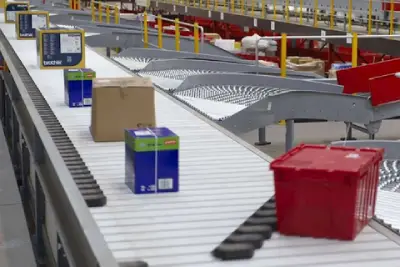
Picking Operations
Mounted on forklifts or used handheld, the most rugged tablet maintains:
- Clear pick lists
- Stable navigation
- Responsive touch while wearing gloves
Reinforced construction withstands collisions, drops, and continuous movement.
Packing Stations
The most rugged tablet loads checklists quickly and avoids crashes that increase packing errors. Workers complete verification steps without waiting for slow refresh cycles.
Transport and Vehicle Use
Vibration and movement cause consumer tablets to fail. The most rugged tablet stays stable under:
- Forklift vibration
- Long-distance trucking
- Rough-terrain transport
- Fast temperature changes
Drivers update statuses, receive routes, and confirm tasks without interruption.
Last-Mile Delivery
Outdoor sunlight, light rain, and repeated handling often break ordinary tablets. The most rugged tablet maintains visibility and accuracy for:
- Proof-of-delivery
- Barcode scanning
- Customer signature capture
For warehouse-oriented projects, buyers can further compare warehouse rugged tablets for sale when barcode scanning, inventory updates, and mobile task visibility are the main priorities.
Recommended SINSMART Rugged Tablet Directions
Recommended SINSMART Rugged Tablet Directions
Choosing the most rugged tablet depends on the balance between protection level, operating system, mobility, and workflow functions. For buyers who need stronger sealing and Windows compatibility, the SINSMART 10.1-inch IP67 Windows rugged tablet with NFC and fingerprint reader is a more relevant reference.
For projects focused on warehouse mobility, outdoor inspection, and Android-based field data collection, buyers can also review SINSMART’s broader industrial rugged tablet PC solutions to compare suitable configurations.
Rather than selecting the toughest-looking option, industrial buyers should choose the rugged tablet that best matches their operating environment, software platform, and application requirements.
Why the Most Rugged Tablet Improves Overall Workflow Stability
Using the most rugged tablet provides measurable advantages:
- Fewer repeated scans
- Lower rate of system freezes
- Stable forklift navigation visibility
- More accurate proof-of-delivery
- Reduced downtime from device failure
- Long-term cost savings due to extended lifespan
These improvements enhance speed, accuracy, and operational reliability.This is why procurement teams should evaluate ruggedness together with workflow continuity, not as an isolated hardware specification.
FAQs
Q1: Why do logistics teams depend on the rugged tablet?
A1: It ensures stable scanning, navigation, and task execution in dust, vibration, and extreme-temperature environments.
Q2: Can the rough tablet run for a full shift?
A2: Yes, its high-capacity battery and power optimization support long hours of operation.
Q3: Is the tough tablet stable during forklift or vehicle movement?
A3: Yes, reinforced construction and vibration resistance keep the screen readable and responsive.
Q4: Can you operate a rugged tablet with gloves?
A4: Yes, the touch panel supports glove-based input.
Q5: Does rough tablet work in cold storage or hot loading docks?
A5: Yes, it supports wide operating temperatures.
Q6: How does rugged tablet avoid dust-related failures?
A6: Sealed ports and IP-rated construction prevent dust entry.
Q7: Can rugged tablets handle heavy route files or mapping software?
A7: Yes, performance is optimized for large datasets.
Q8: Do tough tablets reduce operational interruptions?
A8: Yes, stable hardware prevents restarts and scanning delays.
Q9: Is tough tablet drop resistant?
A9: Yes, it is reinforced and drop-tested.
Q10: Who benefits from the rugged tablet?
A10: Logistics teams, field technicians, fleet operators, and outdoor service workers.


LET'S TALK ABOUT YOUR PROJECTS
- sinsmarttech@gmail.com
-
3F, Block A, Future Research & Innovation Park, Yuhang District, Hangzhou, Zhejiang, China
Our experts will solve them in no time.