
 Rackmount PC
 Embedded Computing
 Industrial Portable Computers
 Rugged Tablets
 Rugged Laptop
 Industrial Panel PC
 Rugged Handheld
 Advantech Industrial PC
Should Engineers Choose a Rugged Laptop or Rugged Tablet for Field Work?
Table of Contents
- I. Introduction
- II. Quick Answer: Rugged Laptop vs Rugged Tablet for Field Work
- III. The Real Difference Between a Rugged Laptop and Rugged Tablet Is Field Workflow
- IV. When Should Engineers Choose a Rugged Laptop for Field Work?
- V. When Should Engineers Choose a Rugged Tablet for Field Work?
- VI. Rugged Laptop vs Rugged Tablet Comparison Table for Field Engineers
- VII.Key Factors to Consider Before Choosing a Rugged Laptop or Rugged Tablet
- VIII. Best Rugged Device Choice by Field Work Scenario
- IX. How SINSMART Helps Engineers Choose the Right Rugged Laptop or Rugged Tablet
- X. FAQ About Choosing a Rugged Laptop or Rugged Tablet for Field Work
Introduction
Introduction
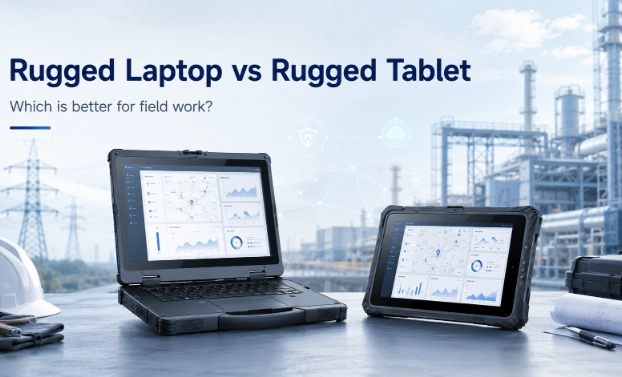
Quick Answer: Rugged Laptop vs Rugged Tablet for Field Work
Quick Answer: Rugged Laptop vs Rugged Tablet for Field Work
| Choose a rugged laptop if engineers need... | Choose a rugged tablet if engineers need... |
| Windows engineering software | Mobile inspection |
| Physical keyboard input | Touch-based operation |
| Ethernet, serial, USB, HDMI, or Thunderbolt ports | Barcode, RFID, NFC, GPS, or camera data capture |
| PLC programming or industrial diagnostics | Work orders and field forms |
| Long reports or data analysis | Photo documentation |
| Vehicle-based or workbench-based operation | Handheld mobility |
| Higher computing performance | Lightweight field deployment |
The Real Difference Between a Rugged Laptop and Rugged Tablet Is Field Workflow
The Real Difference Between a Rugged Laptop and Rugged Tablet Is Field Workflow
| Workflow Factor | Rugged Laptop | Rugged Tablet |
| Input method |
Best for typing, reports, coding, diagnostic values, and multi-window tasks |
Best for touch, forms, signatures, scanning, photos, and quick updates |
| Software requirement |
Better for Windows engineering software, PLC tools, SCADA tools, diagnostic platforms |
Better for mobile apps, inspection systems, GIS, WMS, and work order apps |
| I/O connection |
Better for Ethernet, serial, USB, HDMI, Thunderbolt, and device connection |
Better for GPS, 4G/5G, barcode scanner, NFC/RFID, camera, and Pogo Pin docking |
| Working posture |
Better for vehicle, desk, service cart, cabinet-side, or temporary workstation use |
Better for handheld, vehicle-mounted, forklift-mounted, or walking inspection use |
When Should Engineers Choose a Rugged Laptop for Field Work?
When Should Engineers Choose a Rugged Laptop for Field Work?
Choose a rugged laptop for engineering software and diagnostics
-
PLC programming
-
SCADA configuration
-
Machine diagnostics
-
Vehicle diagnostics
-
Equipment commissioning
-
Data analysis
-
Remote support
-
Maintenance reporting
Choose a rugged laptop when field work requires physical I/O ports
-
Ethernet / RJ45
-
Serial port / RS232 / COM
-
USB ports
-
HDMI
-
Type-C or Thunderbolt
-
Expansion dock
-
External display connection
-
Wired diagnostic tools
Choose a rugged laptop for long reports and keyboard-heavy tasks
-
Long maintenance reports
-
Engineering documentation
-
Test data entry
-
Email communication
-
Remote troubleshooting
-
Software configuration
-
On-site training and presentation
Choose a rugged laptop for vehicle-based or workbench-based field operations
-
Maintenance vehicle workstation
-
Industrial control cabinet troubleshooting
-
Machine-side diagnostics
-
Power station maintenance
-
Oilfield service vehicle
-
Automotive diagnostic station
-
Factory equipment commissioning

When Should Engineers Choose a Rugged Tablet for Field Work?
When Should Engineers Choose a Rugged Tablet for Field Work?
When Should Engineers Choose a Rugged Tablet for Field Work?
When Should Engineers Choose a Rugged Tablet for Field Work?
When Should Engineers Choose a Rugged Tablet for Field Work?
Choose a rugged tablet for field inspection and mobile work orders
-
Field inspection
-
Utility asset management
-
Factory quality checks
-
Construction site inspection
-
Mobile work orders
-
Photo documentation
-
Digital signatures
-
Safety checklists
Choose a rugged tablet for barcode scanning, GPS, and data collection
-
Barcode scanning
-
RFID or NFC reading
-
GPS location
-
Camera capture
-
Form submission
-
Asset tracking
-
Inventory update
-
Real-time work order sync
Choose a rugged tablet when engineers need handheld mobility
-
Hand strap
-
Shoulder strap
-
Vehicle mount
-
Forklift mount
-
Docking station
-
Stylus
-
Pogo Pin connector
-
Barcode scanner module
-
RFID/NFC module
Choose a rugged tablet for Android or Windows mobile field applications
-
Android rugged tablet: better for mobile apps, scanning, logistics, warehouse systems, inspection checklists, and simple data collection.
-
Windows rugged tablet: better when users need Windows software compatibility but still want a tablet form factor.
-
Linux rugged tablet: useful for some customized industrial or embedded applications.

Rugged Laptop vs Rugged Tablet Comparison Table for Field Engineers
Rugged Laptop vs Rugged Tablet Comparison Table for Field Engineers
Rugged Laptop vs Rugged Tablet Comparison Table for Field Engineers
Rugged Laptop vs Rugged Tablet Comparison Table for Field Engineers
| Decision Factor | Rugged Laptop | Rugged Tablet | Better Choice |
| Engineering software | Strong | Depends on OS and performance | Rugged laptop |
| PLC programming | Strong | Possible with Windows tablet | Rugged laptop |
| Long text input | Strong | Limited unless paired with keyboard | Rugged laptop |
| Touch operation | Optional | Strong | Rugged tablet |
| Mobile inspection | Good | Strong | Rugged tablet |
| Barcode / RFID / NFC | Optional | Strong | Rugged tablet |
| GPS-based asset tracking | Optional | Strong | Rugged tablet |
| Physical I/O ports | Strong | Limited or via dock | Rugged laptop |
| Handheld mobility | Limited | Strong | Rugged tablet |
| Vehicle mounting | Good | Strong | Depends on workflow |
| Outdoor screen readability | Available | Available | Both |
| Battery life | Available | Available | Depends on model |
| Field reporting | Strong | Moderate | Rugged laptop |
| Fast field data capture | Moderate | Strong | Rugged tablet |
| Mixed deployment | Strong for engineers | Strong for inspectors | Both |
Key Factors to Consider Before Choosing a Rugged Laptop or Rugged Tablet
Key Factors to Consider Before Choosing a Rugged Laptop or Rugged Tablet
-
Operating system: Windows, Android, or Linux
-
Screen brightness for outdoor field work
-
Utility inspection
-
Construction sites
-
Outdoor equipment repair
-
Oilfield or mining work
-
Public safety vehicles
-
Keyboard, touchscreen, and glove operation
-
I/O ports, docking, and expansion
-
Battery life and removable battery
-
How many hours is each shift?
-
Can the battery be replaced?
-
Is hot-swap needed?
-
Will the device be vehicle-powered?
-
Will the device be used outdoors in cold or hot environments?
-
Wireless connectivity, GPS, barcode, and RFID
-
Wi-Fi
-
Bluetooth
-
4G/5G
-
GPS
-
RFID
-
NFC
-
Camera
-
Vehicle dock
-
Rugged protection: IP rating, drop resistance, vibration, and temperature
-
IP rating for dust and water resistance
-
Drop resistance
-
Vibration resistance
-
Shock resistance
-
Wide temperature operation
-
Screen protection
-
Sealed ports
-
Reinforced corners
-
Military-standard testing
Best Rugged Device Choice by Field Work Scenario
Best Rugged Device Choice by Field Work Scenario
Best Rugged Device Choice by Field Work Scenario
| Field Work Scenario | Recommended Device | Reason |
| PLC programming and machine diagnostics | Rugged laptop | Needs Windows software, keyboard, and physical ports |
| Factory maintenance inspection | Rugged tablet + rugged laptop | Tablet for inspection, laptop for diagnostics |
| Utility asset inspection | Rugged tablet | GPS, camera, mobile forms, and handheld use |
| Power and energy maintenance | Rugged laptop or rugged tablet | Depends on diagnostics vs inspection |
| Warehouse and logistics | Rugged tablet | Barcode, RFID, vehicle mount, and quick data capture |
| Vehicle diagnostics | Rugged laptop | Diagnostic software, keyboard, and stable connections |
| Construction site inspection | Rugged tablet | Drawing review, photos, and mobile forms |
| Public safety vehicle operation | Rugged tablet or rugged laptop | Depends on vehicle-mounted workflow |
| Healthcare or EMS field data | Rugged tablet | Mobility and fast data access |
| Defense or mission-critical field computing | Rugged laptop + rugged tablet | Depends on computing power and mobility needs |
-
Senior diagnostic engineers: rugged laptop
-
Inspection workers: rugged tablet
-
Warehouse operators: rugged tablet with barcode scanner
-
Vehicle service teams: rugged laptop with docking solution
-
Field supervisors: rugged laptop + rugged tablet combination

How SINSMART Helps Engineers Choose the Right Rugged Laptop or Rugged Tablet
How SINSMART Helps Engineers Choose the Right Rugged Laptop or Rugged Tablet
How SINSMART Helps Engineers Choose the Right Rugged Laptop or Rugged Tablet
SINSMART rugged laptops for field diagnostics and industrial software
-
Windows engineering software
-
Full keyboard input
-
Industrial diagnostics
-
PLC or equipment connection
-
Multiple physical ports
-
High-brightness outdoor display
-
Vehicle or workstation operation
-
Long-term industrial deployment
| Product | Best Fit | Key Parameters |
| SIN-S1412E/SIN-S1512E |
Field engineers who need Windows performance, keyboard input, and 1000-nit outdoor display |
Intel Core i5-1235U/i7-1255U, 16GB/32GB memory, 256GB SSD, 14/15-inch FHD 1920×1080, 1000 nits, Windows 11/10 |
| SIN-S1514E |
AI-ready field computing, diagnostics, and high-performance industrial tasks |
Intel Core Ultra platform, Thunderbolt 4, HDMI 2.0, RJ45, RS232, 56Wh + 14.4Wh dual battery, IP65, MIL-STD-810H |
SINSMART rugged tablets for mobile inspection and field data collection
-
Mobile inspection
-
Handheld operation
-
Touch-based work orders
-
Barcode/RFID/GPS options
-
Camera documentation
-
Vehicle mounting
-
Windows or Android mobile deployment
-
Lightweight field data collection
| Product | Best Fit | Key Parameters |
| SIN-I0801E-N100/SIN-I1001E-N100 |
Windows mobile field work, GPS inspection, and outdoor data collection |
Intel Alder Lake N100, Windows 10/11, 8GB optional 16GB, 128GB storage, removable 5000mAh/7.6V battery, 1000-nit display, front 5MP + rear 8MP camera |
| SIN-T1087EL |
Industrial mobile work requiring Windows compatibility and rich ports |
Intel Celeron N5105, 8GB optional 16GB, 128GB/256GB/512GB storage, 10.1-inch 1200×1920 700-nit display, Wi-Fi, Bluetooth 5, 4G, MIL-STD-810G, IP65 |
| SIN-T880E |
Lightweight Android inspection, mobile forms, and field data collection |
8-inch IPS screen, 800×1280, 700 nits, ARM octa-core 2.0GHz, 8GB + 128GB, Android 12, about 680g |
SINSMART OEM/ODM rugged computing solutions for industry projects
-
Interface customization
-
Optional modules
-
OS configuration
-
Mounting design
-
Vehicle deployment
-
Screen brightness selection
-
Battery and charging requirements
-
Barcode, RFID, NFC, GPS, or camera options
-
Batch supply for enterprise projects
-
Long-term service and after-sales support

FAQ About Choosing a Rugged Laptop or Rugged Tablet for Field Work
FAQ About Choosing a Rugged Laptop or Rugged Tablet for Field Work
FAQ About Choosing a Rugged Laptop or Rugged Tablet for Field Work
Q1:Is a rugged laptop better than a rugged tablet for engineers?
Q2:Can a rugged tablet replace a rugged laptop for field work?
Q3:Which is better for PLC programming, a rugged laptop or rugged tablet?
Q4:Which is better for field inspection, a rugged laptop or rugged tablet?
Q5:Should field engineers choose Windows or Android rugged devices?
Q6:What rugged features matter most for outdoor field work?
Q7:Do rugged laptops and rugged tablets reduce total cost of ownership?
Q8:How can SINSMART help choose the right rugged device?


LET'S TALK ABOUT YOUR PROJECTS
- sinsmarttech@gmail.com
-
3F, Block A, Future Research & Innovation Park, Yuhang District, Hangzhou, Zhejiang, China
Our experts will solve them in no time.